QuiteCode
Old-school coding, whenever you miss it.
Block AI coding tools and get back into flow.
Made for macOS, with no account or telemetry. Everything else stays online.
How it works
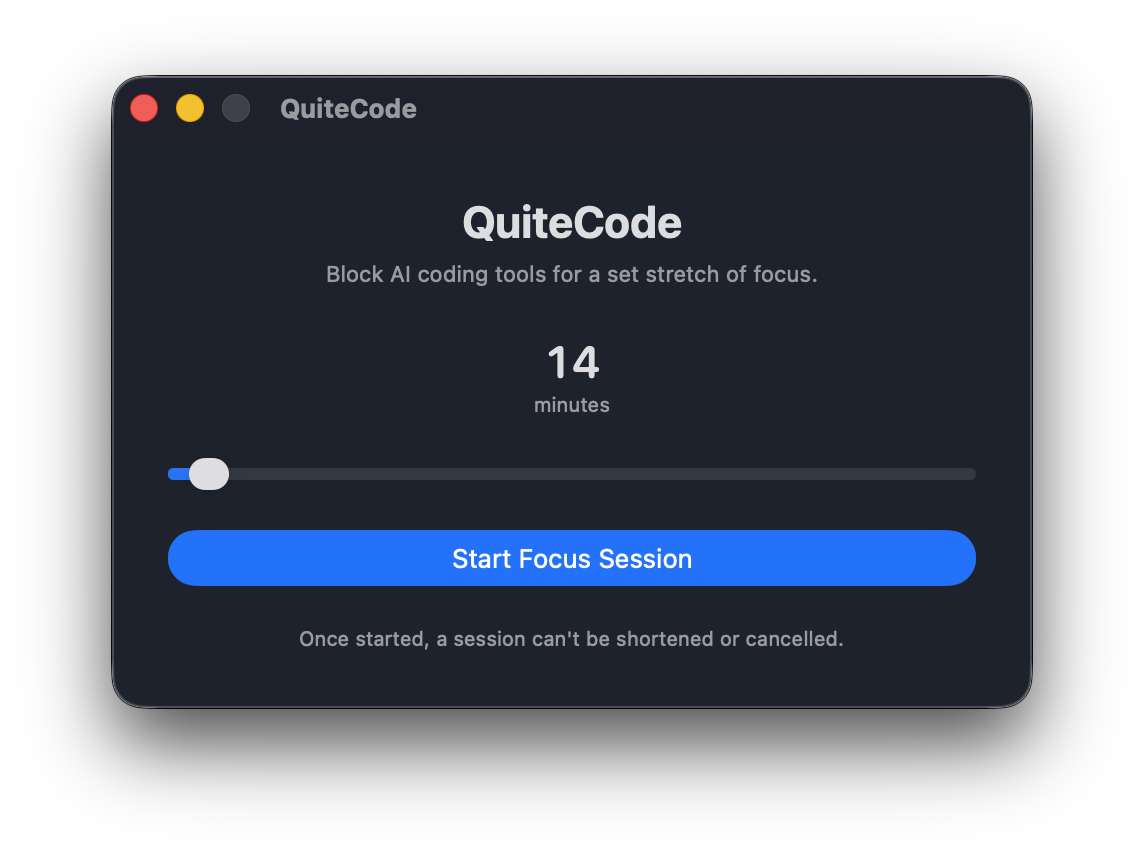
Pick a time
Choose how long you want to work without AI.
Start your session
QuiteCode blocks connections to supported AI providers. Your editor, documentation, Stack Overflow, and the rest of the internet keep working as usual.
Stay with the problem
Once you start a session, you cannot shorten or cancel it.
Why we made QuiteCode
AI makes us faster. But we noticed that our days were starting to feel like a series of interruptions.
We missed staying focused for prolonged periods of time. So we built QuiteCode to help us stay focused and code the old-school way.
Jake Goldstein wrote a short piece about this feeling.
Try it free. Buy it once.
Try two focus sessions for free. If QuiteCode works for you, it is $14.99 to keep using it. You pay once, with no subscription.
If you change your mind, contact us within five days and we will refund you.
Frequently asked questions
-
What exactly does it block?
QuiteCode blocks network traffic from your Mac to supported AI providers, including OpenAI, Anthropic, Google, and others. Your editor, documentation, Stack Overflow, and the rest of the internet keep working. -
Can I end a focus session early?
No. Pick a duration you can commit to because access returns only when the timer runs out. Closing the app won't work. -
Do I need an account?
No. QuiteCode runs on your Mac and does not need an account. There is no cloud service or telemetry. -
Can I try it before paying?
Yes. Your first two focus sessions are free. -
What if I don't like it?
Contact us within five days of buying QuiteCode and we will refund you. -
What if an AI provider is not blocked?
Open an issue on GitHub. We will add it to the list. -
How to uninstall the app?
Open QuiteCode and chooseFile > Uninstall. This removes the app and any state it left on your Mac.